¶ Exemple de l'envoi d'un webhook de Mes Processus vers Power Automate.
¶ Scénario :
L'entreprise souhaite envoyer des informations dans un systèmes tiers.
Ici les information seront envoyées à Power Automate, soit pour un traitement interne soit pour être transféré vers un autre système.
 |
¶ Paramétrage : modélisation du flux de travail
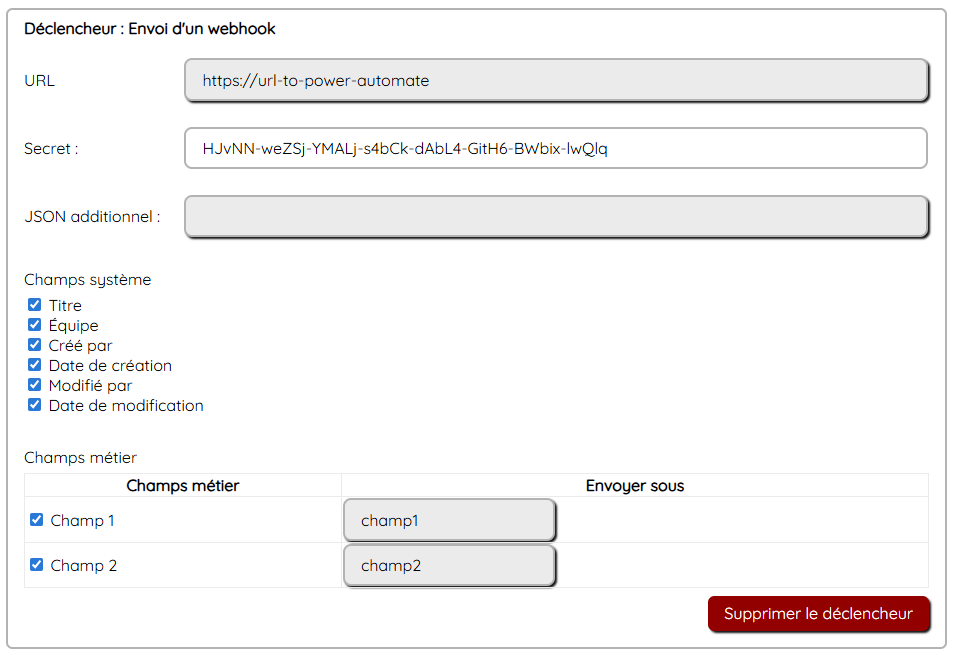
Ajouter sur l'activité de fin un déclencheur : un envoi de webhook.
 |
¶ Paramétrage : modélisation de Power Automate
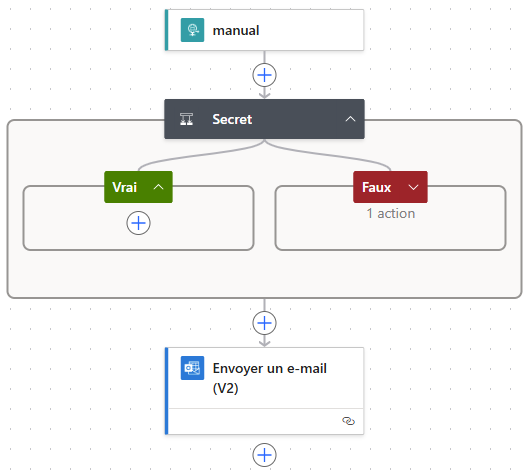 |
Schéma json de la requête HTTP :
{
"type": "object",
"properties": {
"secret": {
"type": "string"
},
"workflowName": {
"type": "string"
},
"flowchartObjectName": {
"type": "string"
},
"recordId": {
"type": "integer"
},
"creationDate": {
"type": "string"
},
"createdBy": {
"type": "string"
},
"modificationDate": {
"type": "string"
},
"modifiedBy": {
"type": "string"
},
"businessUnit": {
"type": "string"
},
"title": {
"type": "string"
},
"fields": {
"type": "object",
"properties": {
"champ1": {
"type": "array",
"items": {
"type": "string"
}
},
"champ2": {
"type": "array",
"items": {
"type": "object",
"properties": {
"name": {
"type": "string"
},
"size": {
"type": "string"
},
"content_b64": {
"type": "string"
}
},
"required": [
"name",
"size",
"content_b64"
]
}
}
}
}
}
}
La sécurisation grâce à un secret est optionnelle :
 |
Puis on utilise le contenu de la requête selon ses besoins.
Ici un envoi d'email.
¶ Résultat
1. Tous les utilisateurs habilités peuvent initier la demande.
La demande génère l'envoi du webhook.
 |
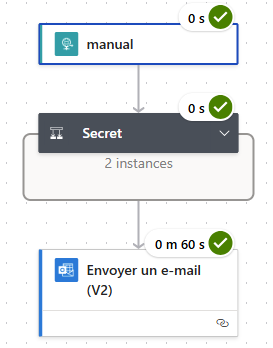
2. Power Automate reçoit l'information :
 |
3. l'information spécifique reçue est la suivante :
Le champ 1 est une liste à choix multiple.
Le champ 2 est un champ fichier.
{
"secret": "HJvNN-weZSj-YMALj-s4bCk-dAbL4-GitH6-BWbix-lwQlq",
"workflowName": "Mes Processus vers Power Automate",
"flowchartObjectName": "Fin",
"recordId": 83,
"creationDate": "2024-01-01 00:00:00",
"createdBy": "Prénom Nom",
"modificationDate": "2024-01-01 00:00:00",
"modifiedBy": "Prénom Nom",
"businessUnit": "",
"title": "Titre de l''enregistrement",
"fields": {
"champ1": [
"Option 1",
"Option 2"
],
"champ2": [
{
"name": "filename.txt",
"size": "8",
"content_b64": "YWxwaGFiZXQ="
}
]
}
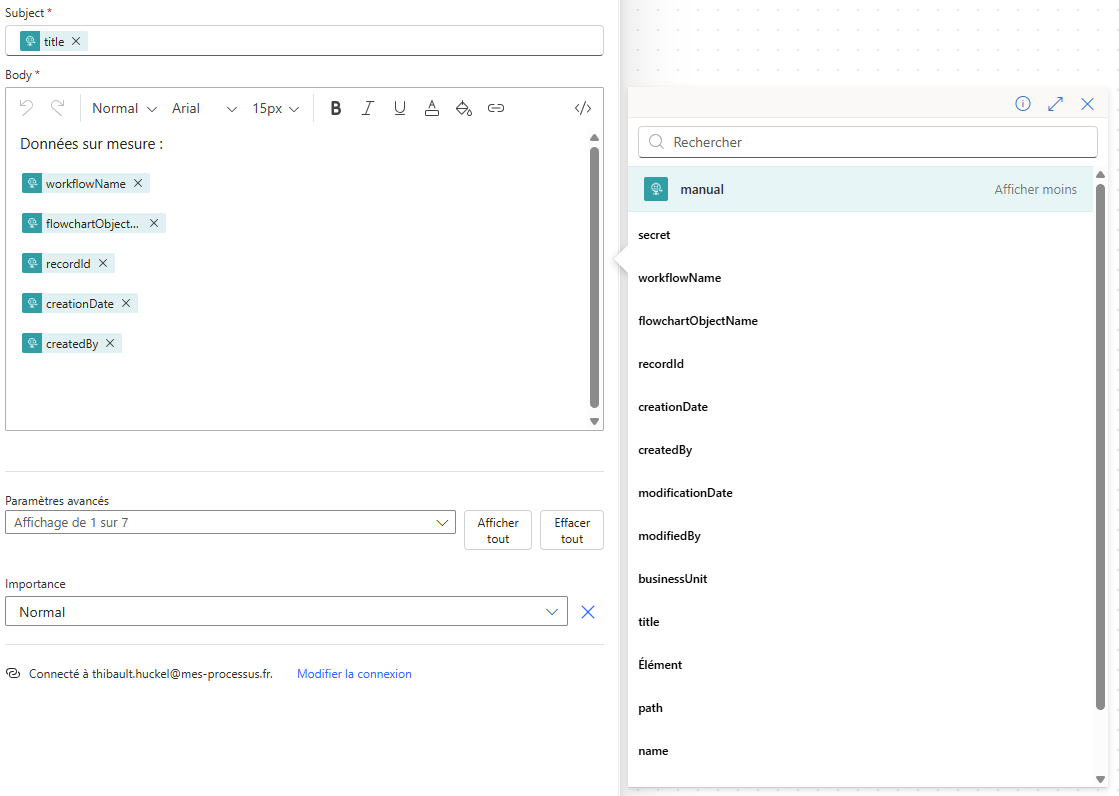
4. Power Automate peut dès lors réutiliser chacune de ces information pour le flux métier requis :
 |